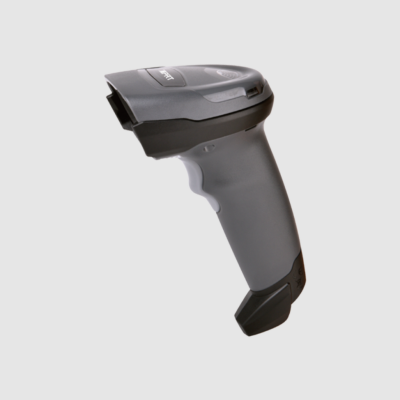
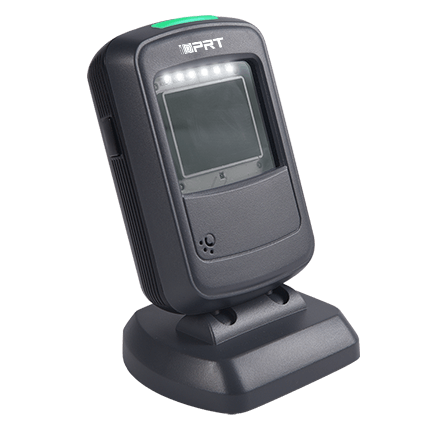
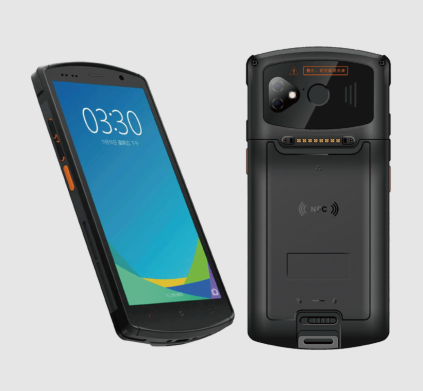
Η επιλογή του σωστού μεγέθους ετικέτας barcode δεν είναι απλά μια επιλογή σχεδιασμού - είναι μια απόφαση συστήματος. Η ετικέτα πρέπει να παρέχει αρκετή χρήσιμη περιοχή για να εκτυπώσει έναν σαρώσιμο γραμμικό κώδικα (συμπεριλαμβανομένης της ήσυχης ζώνης), να ταιριάζει στο εκτυπώσιμο πλάτος του εκτυπωτή σας και να εξακολουθεί να σαρώνει αξιόπιστα στην απαιτούμενη απόσταση ανάγνωσης.
Τα περισσότερα προβλήματα συμβαίνουν όταν οι ομάδες επιλέγουν πρώτα μια ετικέτα, στη συνέχεια ανακαλύπτουν ότι ο εκτυπωτής δεν μπορεί να εκτυπώσει αρκετά κοντά στην άκρη, ο αισθητήρας δεν μπορεί να ανιχνεύσει σταθερά κενά ή ο barcode είναι πολύ πυκνός για να σαρώσει από απόσταση. Αυτός ο οδηγός δείχνει μια πρακτική ροή εργασίας: επιβεβαιώστε τα όρια εκτυπώσιμου πλάτους και αισθητήρα, ρυθμίστε την πυκνότητα χρησιμοποιώντας DPI + X-διάσταση, στη συνέχεια επικυρώστε τις σάρσεις στην πραγματική συσκευή και την απόσταση πριν παραγγείλετε ετικέτες σε όγκο.
Βήμα 2 - Μέγεθος ετικέτας ανά εφαρμογή (αποστολή, λιανική πώληση, συμμόρφωση)
Μόλις τα όρια εκτύπωσης του εκτυπωτή είναι σαφή, η ροή αποφάσεων αντιστρέφεται.
Το ερώτημα δεν είναι πλέον πόσο μικρή μπορεί να είναι μια ετικέτα, αλλά πόσο μεγάλη πρέπει να είναι για να ανταποκριθεί στις απαιτήσεις μεταφορέων, λιανικών πωλητών και συμμόρφωσης. Όταν ισχύουν τέτοιοι κανόνες, το μέγεθος της ετικέτας γίνεται ένα σταθερό κατώφλι - όχι μια επιλογή σχεδιασμού.
Απαιτήσεις μεγέθους ετικέτας ειδικές για την εφαρμογή: Προδιαγραφές μεταφορέων και λιανικών πωλητών
Μόνο βάση· επαληθεύστε τις τελευταίες προδιαγραφές μεταφορέα / λιανικού εμπόρου.
| Μεταφορέας/Λιανικός Εμπορέας |
Απαιτούμενος τύπος barcode |
Ελάχιστο μέγεθος ετικέτας |
Σύσταση DPI |
Quiet Zone (συνιστώμενη βάση) |
|---|
| το Amazon FBA |
Κωδικός 128 (FNSKU) |
2,5" × 1,75" (κοινό ελάχιστο) |
203–300 |
≥0.125" |
| το FedEx Ground |
Barcodes ετικέτας αποστολής (όπως απαιτείται) |
4" × 6" (τυποποιημένο) |
203 |
≥0.1" |
| UPS αποστολή |
Barcodes ετικέτας αποστολής (όπως απαιτείται) |
4" × 6" (τυποποιημένο) |
203–300 |
≥0.1"–0.125" |
| Φαρμακεία / Υγεία |
2D (Μήτρας δεδομένων) |
1" × 1" (κοινό ποικίλλει ανάλογα με τη συσκευασία) |
300 (τυπική) |
Διατηρήστε καθαρό χώρο ανά συμβολολογία (βασική γραμμή ≥0,1") |
| Συμμόρφωση χημικών προϊόντων / GHS |
1D/2D (ποικίλλει ανάλογα με τη ροή εργασίας) + στοιχεία GHS |
4" × 6" ή μεγαλύτερη |
300 (ελάχιστο) |
Επιτρέψτε επιπλέον καθαρό χώρο |
| POS λιανικής πώλησης (EAN-13 / UPC-A) |
UPC-A ή EAN-13 |
1,46" × 1,02" (κοινή βάση) |
300–600 |
≥0.125» καθαρός χώρος (βασική γραμμή, επικυρώνει στις προδιαγραφές) |
Οι απαιτήσεις μεταφοράς και οι πρακτικές γραμμικών κωδικών που βασίζονται στο GS1 καθορίζουν ελάχιστες αναγνώσιμες διατάξεις σε πραγματικές λειτουργίες. Αντιμετωπίστε τις τιμές του πίνακα ως περιορισμούς βάσης και, στη συνέχεια, επικυρώστε με τον σαρωτή και την απόσταση ανάγνωσης.
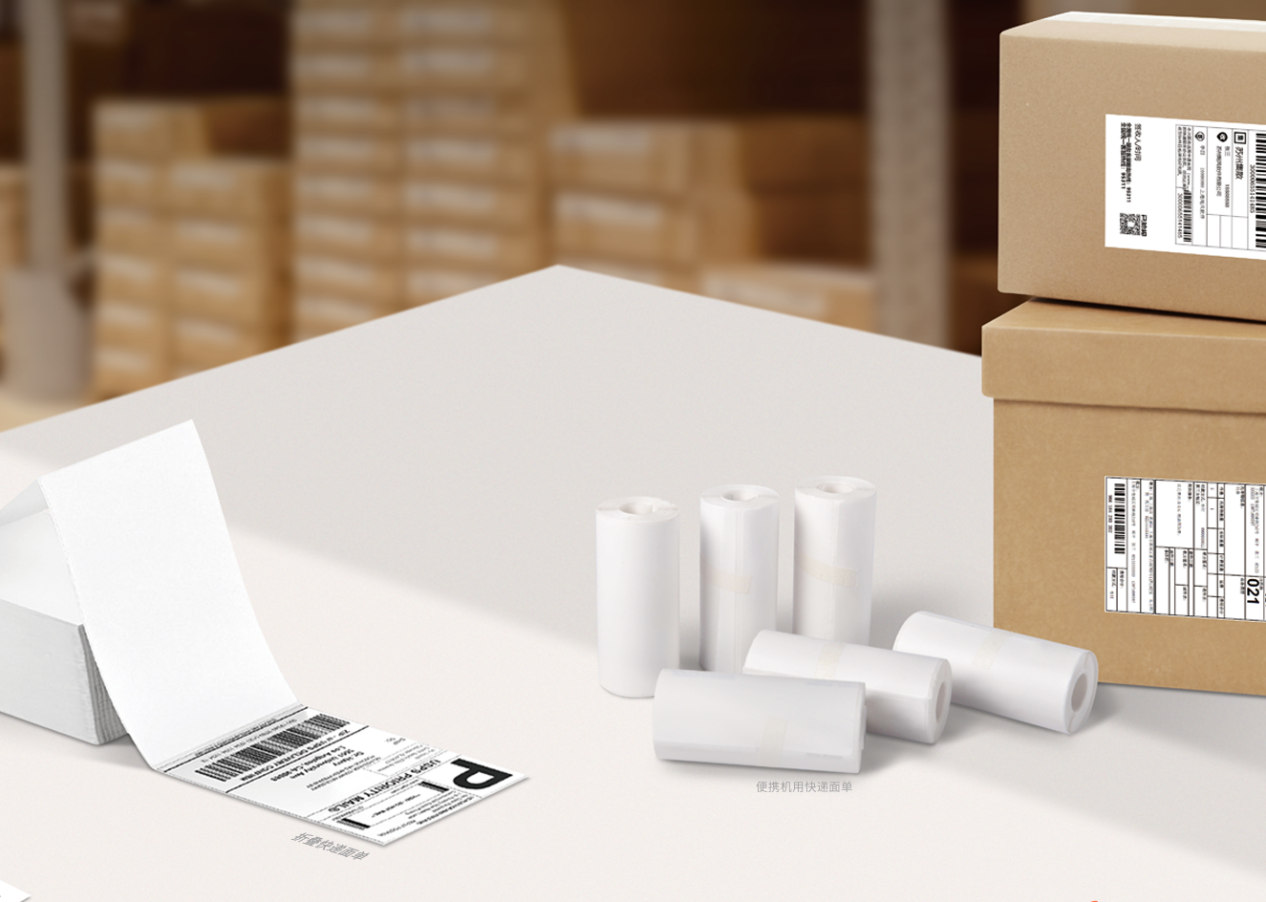
Ετικέτες αποστολής & χαρτοκιβωτίων
- • Κοινά μεγέθη: 4"×6", 4"×8"
Γιατί 4 "× 6" λειτουργεί: Οι μεταφορείς χρειάζονται χώρο για τον barcode ναυτιλίας, τις διευθύνσεις, τους κωδικούς δρομολόγησης και μια καθαρή ήσυχη ζώνη.
Σύσταση: Κρατήστε τον barcode μεταφορέα μεγάλο και καθαρό. Αποφύγετε να πιέζετε λογότυπα ή επιπλέον κείμενο στη ζώνη ησυχίας.
Ετικέτες ράφι/δοχείου/παλέτας
- • Ετικέτες ράφι: 3 "×10" ή 4 "×6" (συχνά μεγάλης εμβέλειας)
- • Ετικέτες κάδου/ράφι: 2"×1", 3"×2"
Για τις τοποθεσίες rack, το πλάτος έχει σημασία περισσότερο από το ύψος. Οι ευρύτεροι barcodes επιτρέπουν μια μεγαλύτερη διάσταση X.
Σύσταση: Εάν απαιτείται σαρώση μεγάλης εμβέλειας, σταματήστε να σκέφτεστε το ύψος της ετικέτας. Σκεφτείτε το μέγεθος της μονάδας και την αντίθεση.
Ετικέτες περιουσιακών στοιχείων και εξοπλισμού
- • Κοινά μεγέθη: 1.5"×0.75", 2"×0.5"
Τα μικρά περιουσιακά στοιχεία ωθούν την πυκνότητα των γραμμικών κωδικών. Με έναν εκτυπωτή 203 DPI, πολλοί μικροσκοπικοί 1D γραμμικοί κωδικοί γίνονται περιθωριακοί - ειδικά μετά την τριβή, το λάδι ή η λάμψη εισέρχονται στην εικόνα.
Σύσταση: Για μικρά στοιχεία ενεργητικού, δώστε προτεραιότητα σε 300 DPI (ή 600 DPI όταν οι ενότητες γίνονται εξαιρετικά μικρές). Μια φθηνή ετικέτα που αποτύχει να σαρώσει κοστίζει περισσότερο από μια καλύτερη μηχανή εκτύπωσης.
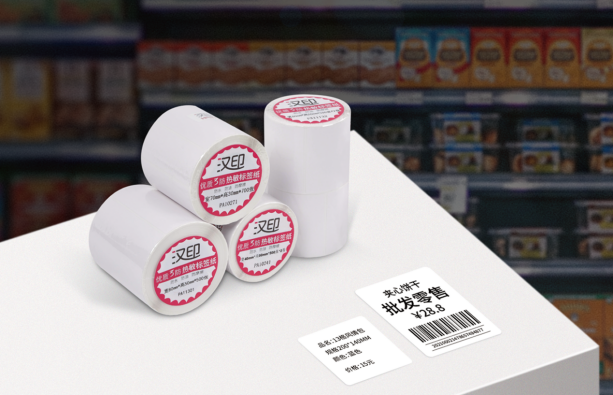
Τιμή λιανικής & Ετικέτες ράφι
- • Ετικέτες τιμών: 1"×2", 1.25"×2.25"
- • Ράφι ομιλητές: 1"×3", 1.5"×3"
Οι ετικέτες λιανικής εξισορροπίζουν το branding, την αναγνώσιμη τιμή και την απόδοση σάρωσης.
Σύσταση: Προστατέψτε πρώτα τον barcode. Ο σχεδιασμός πρέπει να προσαρμόζεται στους κανόνες σάρωσης.
Ετικέτες συμμόρφωσης και κινδύνου
- • Τυπικά μεγέθη: 4 "×6" ή μεγαλύτερη
Οι ετικέτες συμμόρφωσης πρέπει να φέρουν σύμβολα GHS, προειδοποιητικό κείμενο και κανονιστικά εικονίδια. Το διάστημα εξαφανίζεται γρήγορα. Η επιλογή υλικού έχει σημασία επίσης - η χημική έκθεση απαιτεί ανθεκτικές συνθετικές.
Σύσταση: Διαθέστε αρκετή περιοχή για το περιεχόμενο συμμόρφωσης χωρίς συμπίεση του barcode. Εάν υπάρχουν χημικές ουσίες, χρησιμοποιήστε συνθετικό υλικό και την κατάλληλη κορδέλα.
Βήμα 5 Μάτρικα εκτυπωτή × ετικέτας × σαρωτή (γρήγορη αναφορά)
Χρησιμοποιήστε αυτόν τον πίνακα για να ελέγξετε την ευθυγράμμιση των συστατικών πριν αναπτύξετε τα μέσα σε κλίμακα.
| Εφαρμογή |
Τύπος εκτυπωτή |
Τυπικό DPI |
Συνιστώμενο μέγεθος ετικέτας |
Τύπος γραμμικού κώδικα (τυπικός) |
Τύπος σαρωτή |
|---|
| E-commerce Ναυτιλία |
4» Επιφάνεια εργασίας/βιομηχανική |
203 |
4"×6" |
1D + 2D (ετικέτες μεταφοράς) |
Φορητός Imager |
| Ράφια αποθήκης (μεγάλης εμβέλειας) |
4» Βιομηχανική |
300 (τυπική) |
3 "×10" (μακρύ) |
1D (μεγαλύτερη διάσταση Χ) / 2D |
σαρωτής εκτεταμένης εμβέλειας |
| Παρακολούθηση μικρών περιουσιακών στοιχείων |
2» ή 4» Επιφάνεια εργασίας |
300–600 |
1.5"×0.75" |
2D / συμπαγής 1D |
HD 2D φορητό imager |
| Φαρμακεία / Φιαλίδια |
2" Επιφάνεια εργασίας |
300 |
1 «x1» ή τυλίγμα |
2D (Μήτρας δεδομένων) |
2D Εικόνας περιοχής |
| Τοποθεσία Bin / Rack |
2» ή 3» κινητό |
203 |
2"×1" |
1D / 2D |
Ανθεκτικός κινητός υπολογιστής (PDA) |
Πώς να χρησιμοποιήσετε αυτόν τον πίνακα: Επιλέξτε τη γραμμή εφαρμογής, επιβεβαιώστε την κατηγορία εκτυπωτή και το ελάχιστο DPI, στη συνέχεια επικυρώστε τον τύπο σαρωτή και την απόσταση ανάγνωσης. Εάν ο σαρωτής απαιτεί διαβάσεις μεγάλης εμβέλειας, αυξήστε το πλάτος της διάστασης Χ ή της ετικέτας πριν παραγγείλετε το απόθεμα.
Τελικοί έλεγχοι πριν επιλέξετε ένα μέγεθος ετικέτας (κοινές παγίδες + λίστα ελέγχου)
Πριν παραγγείλετε ετικέτες σε όγκο, χρησιμοποιήστε αυτόν τον τελικό έλεγχο για να αποφύγετε την επανεργοποίηση και τις αποτυχίες σάρωσης.
Συχνές παγίδες:
-
• Αγνοώντας το περιθώριο της κεφαλής εκτύπωσης
Οι περισσότεροι εκτυπωτές δεν μπορούν να εκτυπώσουν μέχρι το απόλυτο άκρο. Αφήστε ένα buffer 1,5-3 mm έτσι ώστε οι κρίσιμες ράβδοι να μην κόψουν.
-
• Θυσία της ηρεμικής ζώνης
Εάν κείμενο, σύνορα ή γραφικά αγγίξουν τον γραμμικό κώδικα, η απόδοση σάρωσης μειώνεται. Διατηρήστε τουλάχιστον 0,1 ίντσες καθαρού χώρου (βάση, επικύρωση σύμφωνα με τις προδιαγραφές συμβολολογίας).
-
• Δεν αφήνει χώρο για ανάπτυξη
Οι ετικέτες που μόλις ταιριάζουν στα σημερινά δεδομένα δεν θα επιβιώσουν από τις μελλοντικές απαιτήσεις (αριθμοί παρτίδων, κωδικοί ημερομηνίας, εικονίδια συμμόρφωσης). Η επαναεργασία είναι ακριβή.
Τελική λίστα ελέγχου:
- ◇ Το πλάτος της ετικέτας εμπίπτει στο μέγιστο εκτυπώσιμο πλάτος του εκτυπωτή;
- ◇ Είναι το μέγεθος του πυρήνα ρολού (1" έναντι 3") συμβατό με τον εκτυπωτή;
- ◇ Η πυκνότητα του barcode ταιριάζει με το DPI του εκτυπωτή και την απαιτούμενη διάσταση X;
- ◇ Υπάρχει επαρκής ήσυχη ζώνη γύρω από τον barcode;
- ◇ Μπορούν οι σαρωτές να διαβάσουν τον κώδικα στην απαιτούμενη απόσταση και ταχύτητα;
- ◇ Υπάρχει χώρος για μελλοντικά πεδία (σύμβολα παρτίδας/ημερομηνίας/συμμόρφωσης);
Σύσταση:
Σχεδιάστε ετικέτες για την επόμενη αναθεώρηση, όχι μόνο το τρέχον φύλλο προδιαγραφών.
Χρειάζεστε βοήθεια για να ταιριάξετε το μέγεθος της ετικέτας με το τρέχον υλικό σας;
Το ακριβές μέγεθος ετικέτας μειώνει τις αποτυχίες σάρωσης, τις επανεκτυπώσεις και τον χρόνο διακοπής. Μοιραστείτε μοντέλα εκτυπωτών, υλικό ετικέτας, τύπο γραμμικού κώδικα και απαιτήσεις απόστασης σάρωσης. Η τεχνική υποστήριξη μπορεί να συστήσει διαστάσεις ετικετών και ρυθμίσεις εκτύπωσης για αξιόπιστη απόδοση.
Επικοινωνήστε μαζί μας για μια προσαρμοσμένη διαβούλευση μέσων ενημέρωσης